How Cloak Works: On-Device AI Chat for iPhone
Cloak is a private AI assistant that runs entirely on your iPhone. Here's what actually happens on the device, step by step.
What Cloak is, in one sentence
Cloak puts a language model directly on your iPhone instead of on a remote server, so it can hold a full conversation with no internet connection, no account, and nothing sent anywhere. If you're new to the idea, what is local AI covers the concept from the ground up.
The one-time download
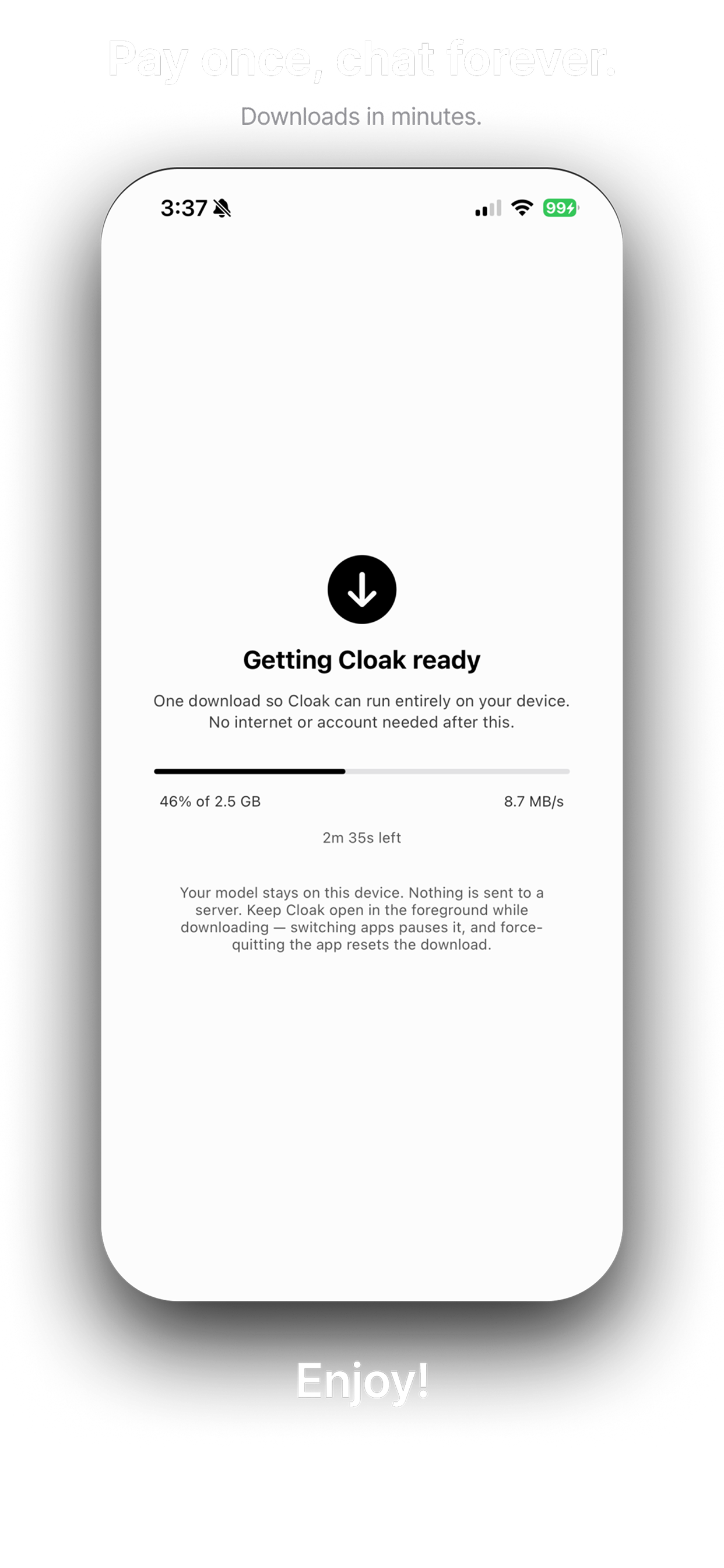
The first time you open Cloak, it downloads its AI model to your device — this is the only step that needs an internet connection. It's a one-time setup, ideally done over Wi-Fi before you actually need the assistant offline.
Chatting fully offline
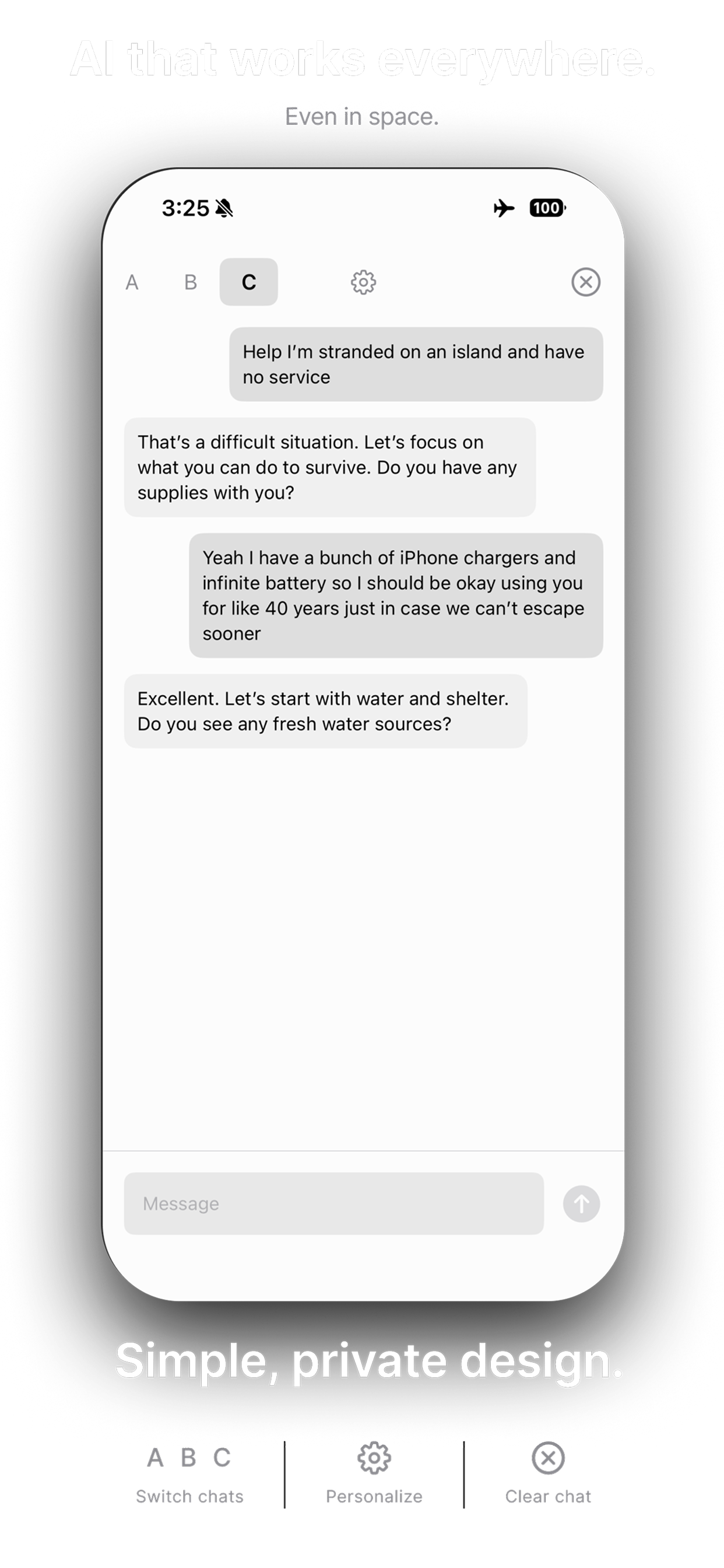
Once the model is downloaded, Cloak doesn't need a network connection to respond. You can put your iPhone in airplane mode and keep chatting exactly as before — there's no server for the app to lose contact with.
Multiple conversations and personalization
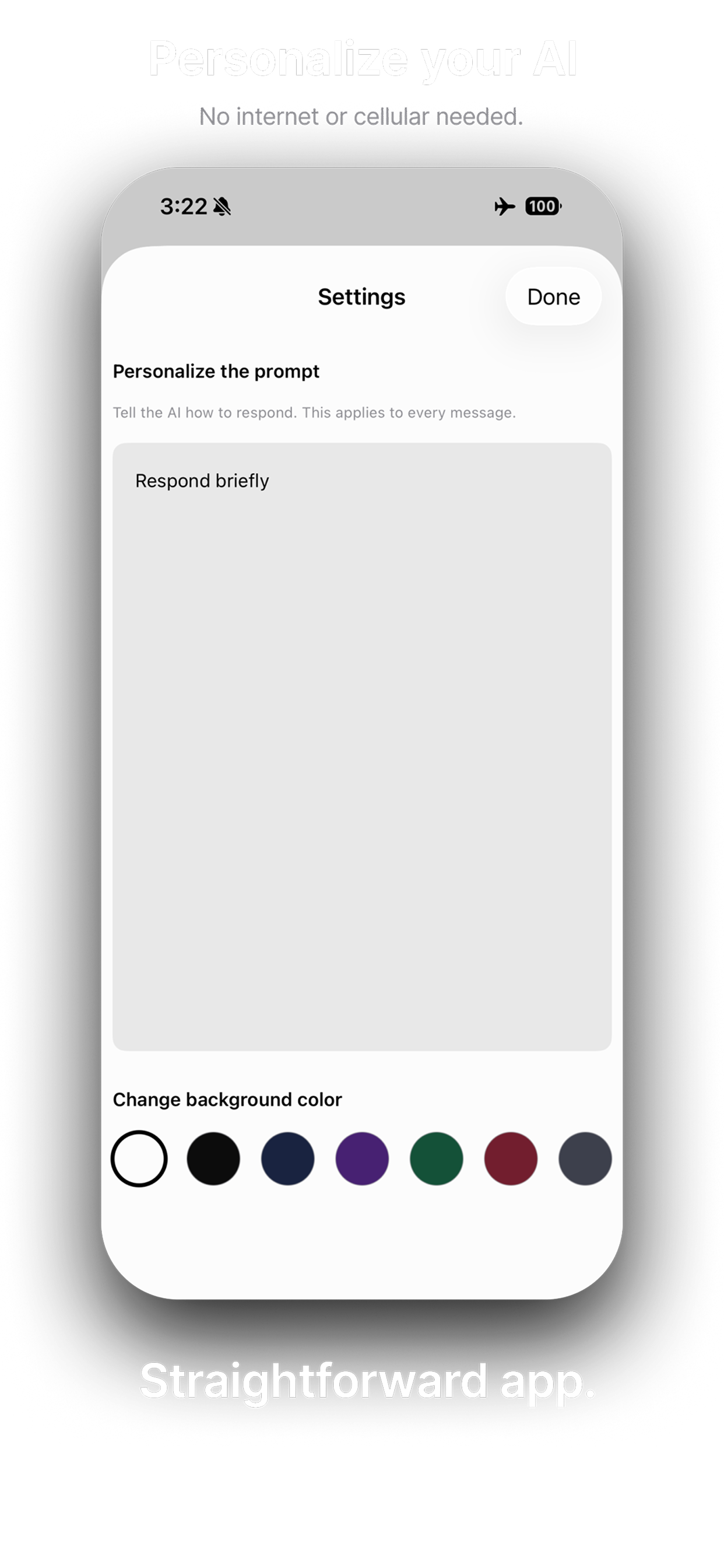
Cloak supports separate chat threads you can switch between, and a settings screen where you can tell the AI how to respond — briefer, more detailed, a certain tone — plus change the app's background color. All of it is saved locally on your device.
Privacy by design
Because every conversation is processed on-device, there's no server that ever sees what you type. Cloak has no accounts, no analytics, and no third-party SDKs — details covered in full in the privacy policy. For the bigger picture on why that matters, see private AI on iPhone.
Pay once, no subscription
Cloak is a one-time purchase rather than a monthly subscription. Since there's no server bill to cover for processing your messages, there's no ongoing cost to pass on to you.
Who Cloak is for
- Travelers who want an assistant that works on flights, in remote areas, or anywhere signal is unreliable.
- Anyone who'd rather their conversations never touch a server at all.
- People who want a straightforward AI chat app without accounts, subscriptions, or tracking.
Curious how this stacks up against a cloud assistant you already use? Read ChatGPT vs. local AI.
Try Cloak on your iPhone
Cloak is a private AI assistant that runs entirely on your iPhone — no cloud, no account, no tracking. Download the model once, then chat anywhere.